
See Every Expense of Your Commercial Complex in One Place
Every month your commercial complex pays for security, cleaning, utilities, repairs, and events, but the proof of these payments often ends up scattered across files, emails, and chat screenshots. Complex360 Expense Management gives your management team one simple, reliable place to record every expense with its date, category, details, amount, status, and supporting receipt.
Keep every expense in one clean list
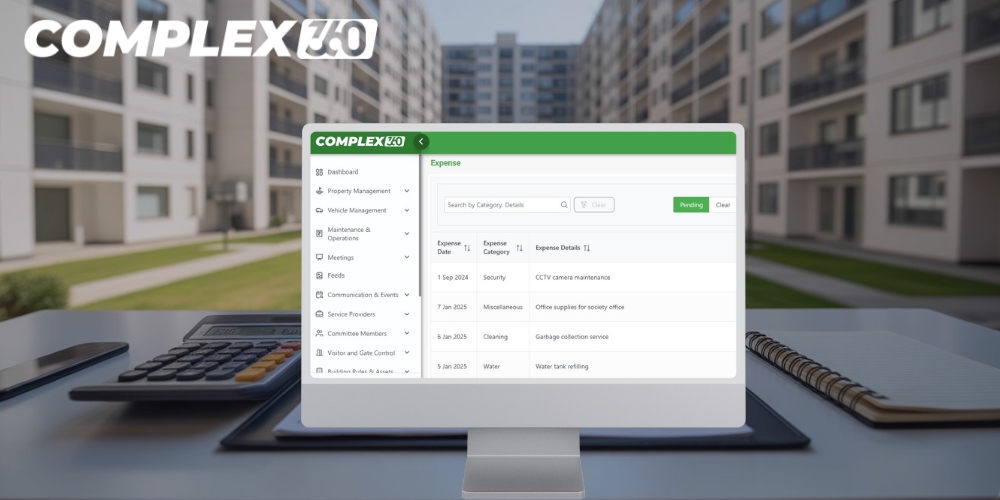
At the centre of the Expense module is a clean list that shows every expense raised for your commercial complex in a structured way. Each row displays the expense date, category, short description, amount, and current payment status, so decision‑makers no longer need to open multiple spreadsheets or flip through folders to understand where money has been spent.
This single view brings recurring expenses and one‑time spends together in one place. Regular items such as security guard payments, housekeeping, electricity, repairs, and landscaping appear alongside larger, occasional spends such as fit‑out work, equipment upgrades, or painting projects, giving you a real financial picture of your commercial complex instead of isolated numbers.
Add each expense once and keep the receipt with it
Committees and facility managers are busy and often handle finances alongside their regular jobs, so recording an expense has to be quick and simple. The Add Expense screen in Complex360 is designed with that reality in mind: as soon as a bill arrives, you enter the date, amount, expense category, and a short description, without complicated accounting forms slowing you down.
The most important part is the ability to upload the receipt or bill file at the same time, so proof of payment always stays linked to the expense entry. Later, when someone needs to verify a payment, they do not depend on one person’s phone or email; instead, they open the expense in Complex360 and see both the numbers and the original supporting document in one place, protecting your complex against disputes, lost documents, and memory gaps.
See Maintenance for Every Unit
Keep a clear view of unpaid and paid expenses allocated to every office, shop, and commercial unit in your complex in one place.
Simple ‘My Dues’ View for Users
Let owners and business tenants open the app and instantly see which expenses or reimbursements are tagged to their own commercial units.
Always‑Updated Payment Status
Change a unit’s status from unpaid to paid as soon as expense payments are recorded, so financial information for your commercial complex always stays accurate.
See clearly which payments are pending and which are cleared
Confusion around “Has this bill been paid or not?” is one of the most common problems in commercial finances. Complex360 solves this with a simple status field on every expense that shows whether it is Pending or Clear, and when a payment is made the status updates in a click so everyone sees the same information instantly.
This clear separation between pending and cleared expenses is especially useful at the end of the month or before financial reporting, because treasurers can check exactly what still needs to be processed before closing the books. Vendors who follow up for payments can be answered confidently by checking the latest list instead of relying on memory, resulting in fewer missed or duplicate payments and a more professional experience for both vendors and occupants.
Understand how much your complex really spends over time
Once every expense is captured in Complex360, your commercial complex finally gains an accurate view of how much it actually spends. Instead of relying on rough estimates or manually compiled summaries, management teams can see spending patterns emerge directly from recorded entries, making it easy to understand how much money went out in a particular month or financial year and how that amount is distributed across different categories.
This clarity is crucial when discussing maintenance charges, planning sinking funds, or deciding whether the complex can afford additional services, because meetings and reviews can then be based on real data rather than vague explanations. When occupants and stakeholders see structured, category‑wise expense history, conversations become more objective and trust in management decisions grows.
Manage Your Property With Confidence
Complex360 gives property owners, secretaries, and administrators a complete digital system to manage all units, occupants, and records effortlessly. Everything stays organized, accessible, and up to date.
Designed for commercial complexes, not generic businesses
Generic accounting tools are usually built for companies that issue invoices to customers and manage revenue, taxation, and inventory, but commercial complexes work very differently. Complex360 Expense Management is designed specifically for business parks and commercial campuses where committees and facility managers need a simple way to track what the complex is paying for, rather than running a typical business ledger.
From the same dashboard, you can manage expenses for multiple towers, wings, and shared facilities, labelling them clearly through categories and descriptions so you always know which part of the property a cost belongs to. Different commercial areas can be tracked together in one system while still remaining logically separate for review and reporting, so everyone responsible for the property works from the same source of truth instead of scattered spreadsheets or personal files.
Make questions, audits, and committee changes easier
Money questions are unavoidable in any complex: occupants want to know how funds are used, auditors need documentation, and new committee members need to understand what has happened in previous years. With Complex360, when someone asks “How much did we spend on security last year?” or “Can I see the bill for that waterproofing work?”, you can pull up the relevant expenses quickly with clear descriptions and attached receipts.
This ability to respond with accurate information builds trust and reduces tension in meetings because occupants see that their contributions are being handled transparently. Auditors see that documentation is well organised, and committees spend less time searching and more time making decisions, while any new management team inherits a complete, well‑organised expense history instead of a pile of disconnected files.
Help your committee manage every expense responsibly
Running a commercial complex without a proper expense management system almost guarantees confusion, extra manual work, and uncomfortable conversations about money. Complex360 Expense Management provides a central place where every expense, its proof, and its status live together so committees can keep receipts safe and answer questions with confidence.
When the topic turns to finances in your complex, the real question is whether you still want to manage expenses with scattered sheets and chats or from one clean system. A clear call‑to‑action such as “Start Tracking Expenses for Your Commercial Complex” invites visitors to move beyond manual tracking and start organising expenses properly from day one.
Frequently asked questions
Complex360’s Expense Management module lets commercial complexes record repairs, utilities, staff payments, and vendor bills in one organised place instead of multiple Excel files and WhatsApp screenshots.
Yes. Complex360 can replace most manual spreadsheets by storing expenses with dates, amounts, descriptions, and categories, so committees don’t have to maintain separate sheets for every year.
Only authorised committee members or office staff can create, edit, or approve expense entries, so random users cannot change financial records or pass bills without permission.
Commercial complexes can group expenses under relevant heads and categories, such as repairs, utilities, security, housekeeping, or specific projects, so reports match how their accounts are already structured.
Because every expense is stored with a clear head, date, amount, and note, committees can easily show where money was spent during reviews, audits, or member queries without digging through files.
Authorised users can quickly view expenses by month, year, category, or property, helping committees compare trends, control overspend, and prepare financial summaries without rebuilding reports in Excel.
The module works for small buildings that just want simple expense tracking as well as large commercial campuses that need multiple categories, properties, and time‑period comparisons in one system.